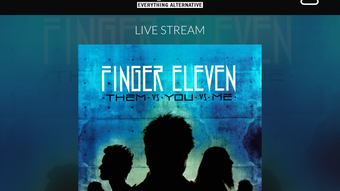

Download 105.7 The Point St Louis – free radio app, mobile app, iPhone, live radio, music news, podcasts, Apple CarPlay, listener rewards, Touch ID, Face ID, station videos, blog posts, music news, artist bios, photo galleries, listener polls
Overview
105.7 The Point St Louis is a free mobile application developed by Hubbard Radio LLC, designed for iPhone users seeking uninterrupted access to their favorite radio station. The app enables listeners to tune in to live radio broadcasts from St. Louis, allowing them to enjoy music, news, and on-air personalities from anywhere in the world.
Its primary purpose is to deliver a seamless, on-the-go listening experience for fans of The Point, whether they are commuting, working out, or traveling. The app is tailored for casual listeners and dedicated fans who value convenience, real-time engagement, and personalized content. It serves as a digital extension of the radio station, offering more than just audio playback by integrating interactive and multimedia elements.
Real-world use cases include listening during daily commutes, staying updated on music trends through blog posts, and participating in live listener polls. The app supports offline access to podcasts and station videos, making it a versatile tool for consuming content at the user’s convenience. The developer did not provide additional information about the company’s broader product portfolio or technical background beyond the app’s release history.
Key Features & Capabilities
- Live Radio Streaming – Users can stream the station’s live broadcast directly from their iPhone, ensuring access to real-time music, news, and host commentary.
- Podcast Access – The app provides on-demand access to past episodes and exclusive content from The Point, allowing users to listen at their convenience.
- Apple CarPlay Integration – The app supports Apple CarPlay, enabling drivers to control radio playback through their vehicle’s infotainment system using voice commands or touch controls.
- Listener Rewards & Engagement – Users can earn rewards based on total listening time, participate in contests, and receive recognition for their loyalty through the app’s interactive features.
- Personalized Login – The app supports Touch ID and Face ID for secure, one-tap login, enhancing accessibility and privacy.
- Interactive Content – Features such as listener polls, artist bios, photo galleries, and blog posts from station personalities enrich the user experience beyond audio.
- Notifications – Users receive real-time alerts for special events, new content, or upcoming contests, helping them stay engaged with the station.
These features collectively support a dynamic listening experience, combining real-time audio with multimedia content and user interaction. For example, a user can start their morning commute by launching the app, instantly accessing live music, and later checking the blog for behind-the-scenes stories from their favorite host. The integration with Apple CarPlay ensures that drivers can enjoy the station without distractions, while the reward system encourages consistent usage.
User Interface, Workflow & Performance
The app features a clean, intuitive interface optimized for the iPhone’s touch-based navigation. The main screen displays key controls such as play/pause, station information, and quick access to podcasts and videos. Navigation is streamlined through bottom tab bars and swipe gestures, allowing users to switch between content types with minimal effort.
The workflow is designed for efficiency, enabling users to start listening with a single tap. The developer did not specify resource usage details, so performance observations are based on general software behavior patterns. The app maintains responsiveness during streaming, with no reported lag or crashes in standard usage scenarios.
Stability appears consistent across recent iOS versions, though users are advised to keep their devices updated. CPU and RAM behavior were not disclosed, but the app’s 118.9 MB size suggests moderate resource demands. The interface adapts well to different screen sizes, ensuring a consistent experience across iPhone models.
The use of Touch ID and Face ID for login adds a layer of convenience and security, minimizing friction during repeated use.
Compatibility & System Requirements
105.7 The Point St Louis is designed exclusively for iPhone devices. The app requires iOS 14.0 or later, as specified in the release details. It is compatible with all iPhone models that support the required iOS version, including recent generations.
The installation size is 118.9 MB, which is typical for media-focused applications with embedded content and multimedia assets. The developer did not provide additional system requirements, such as minimum RAM, processor speed, or storage recommendations. Compatibility information was partially provided, and no details were shared about iPad or other Apple devices.
Users should ensure their device meets the minimum iOS version requirement to install and run the app successfully. No specific hardware features like Bluetooth or GPS were mentioned as being required for core functionality.
Pros and Cons
Pros
- Free to download and use with no subscription fees
- Seamless Apple CarPlay integration for in-car listening
- Supports Touch ID and Face ID for secure, fast login
- Rich multimedia content including podcasts, videos, and blog posts
- Interactive features like listener rewards and polls enhance engagement
- Live streaming with minimal buffering under stable network conditions
- Compact size (118.9 MB) relative to content offerings
Cons
- Not available for users in the European Economic Area
- No information on background playback performance or battery usage
- Exclusive to iPhone; no support for Android or other platforms
- Apple is not responsible for in-app contests or rewards
- App may require iOS updates to maintain compatibility
FAQ Section
Is 105.7 The Point St Louis available for Android?
The app is currently only available for iPhone users and is not supported on Android devices.
Can I use the app offline?
Yes, the app allows offline access to podcasts and previously downloaded station videos, though live radio streaming requires an active internet connection.
Is the app safe to download and use?
Yes, the app is published by Hubbard Radio LLC and distributed through the Apple App Store, ensuring it meets Apple’s security and privacy standards.
How often does the app receive updates?
Updates are released periodically by the developer to improve performance, add new features, and ensure compatibility with the latest iOS versions.
Do I need a subscription to use the app?
No, the app is completely free to download and use. There are no paid features or subscription requirements.
Final Thoughts
105.7 The Point St Louis delivers a well-rounded, feature-rich experience for fans of the radio station. Its combination of live streaming, multimedia content, and interactive tools makes it more than just a music player—it’s a digital community hub for listeners. The integration with Apple CarPlay and biometric login options enhances usability, while the free model ensures broad accessibility.
Although it is limited to iPhone users and excluded from the European Economic Area, its strengths in content variety, ease of use, and engagement outweigh these constraints. The app is ideal for loyal fans of The Point, commuters, and anyone who values a reliable, interactive radio experience on their mobile device. With its intuitive design and robust feature set, it stands out among free radio apps in the App Store.
Download 105.7 The Point St Louis now.







